How to Claim and Optimize Your Google Business Profile for Maximum Review Visibility
Learn how to claim and optimize your Google Business Profile. This step-by-step guide helps you complete your listing for maximum local SEO and review visibility.
Posted by
 Miracle Nnamdi
Optimizing your free Google Business Profile (GBP) is the single most effective action you can take to improve your local search ranking and dominate the Google Maps "Local Pack"—the box showing three local businesses that appears at the top of search results.
A well-managed GBP acts as a digital storefront, directly influencing customer decisions and, most importantly, serving as the primary hub for your online reviews. This guide provides a step-by-step process for claiming your listing and transforming it into a high-visibility asset that attracts customers and encourages feedback.
Prerequisites and Tools Needed
- Prerequisites: A registered business name, a physical address (or a defined service area), a business phone number, and a business website.
- Tools: A standard Google Account (create one if you don't have one).
Step 1: Claim and Optimize Google Business Profile: Your First Move in Local Search Marketing
To claim and optimize your Google Business Profile, you must first locate your business on Google Maps or create a new listing, and then complete a verification process to prove ownership.
This foundational step is non-negotiable for managing your online presence, responding to reviews, and accessing performance insights.
How to Find or Create Your Business Listing
- Navigate to google.com/business and sign in with your Google Account.
- In the search bar, type your exact business name and address.
- If your business appears in the suggestions, select it and click the button to claim ownership. If another party has already claimed it, you will need to request access from the current owner.
- If your business does not appear, choose the option to "Add your business to Google." You will then be prompted to enter your core details, including name, business category, and address.
The Verification Process: Proving You're a Real Business
Google requires verification to prevent fraudulent activity and ensure the accuracy of its mapping data. This process unlocks the full suite of management features for your profile.
Common verification methods include:
- Postcard by mail: This is the most common and default method. Google sends a postcard with a unique 5-digit verification code to your physical business address. It typically arrives within 5-14 business days.
- Phone call or text: Some businesses are eligible for verification via an automated call or text message to their listed business phone number. The message will contain the verification code.
- Email: A code is sent to an email address associated with your business domain (e.g.,
).you@yourbusinesswebsite.com - Video recording: This newer method may require you to record a short video showing your business location, branding (like a sign or logo), equipment, and proof of management (such as unlocking the door with a key or showing a utility bill).
Once you receive your code, log back into your GBP dashboard and enter it. Verification is the final gatekeeper; once complete, you have full control to optimize your profile and manage customer reviews.
Step 2: Building Your Foundation: Complete 100% of Your Profile
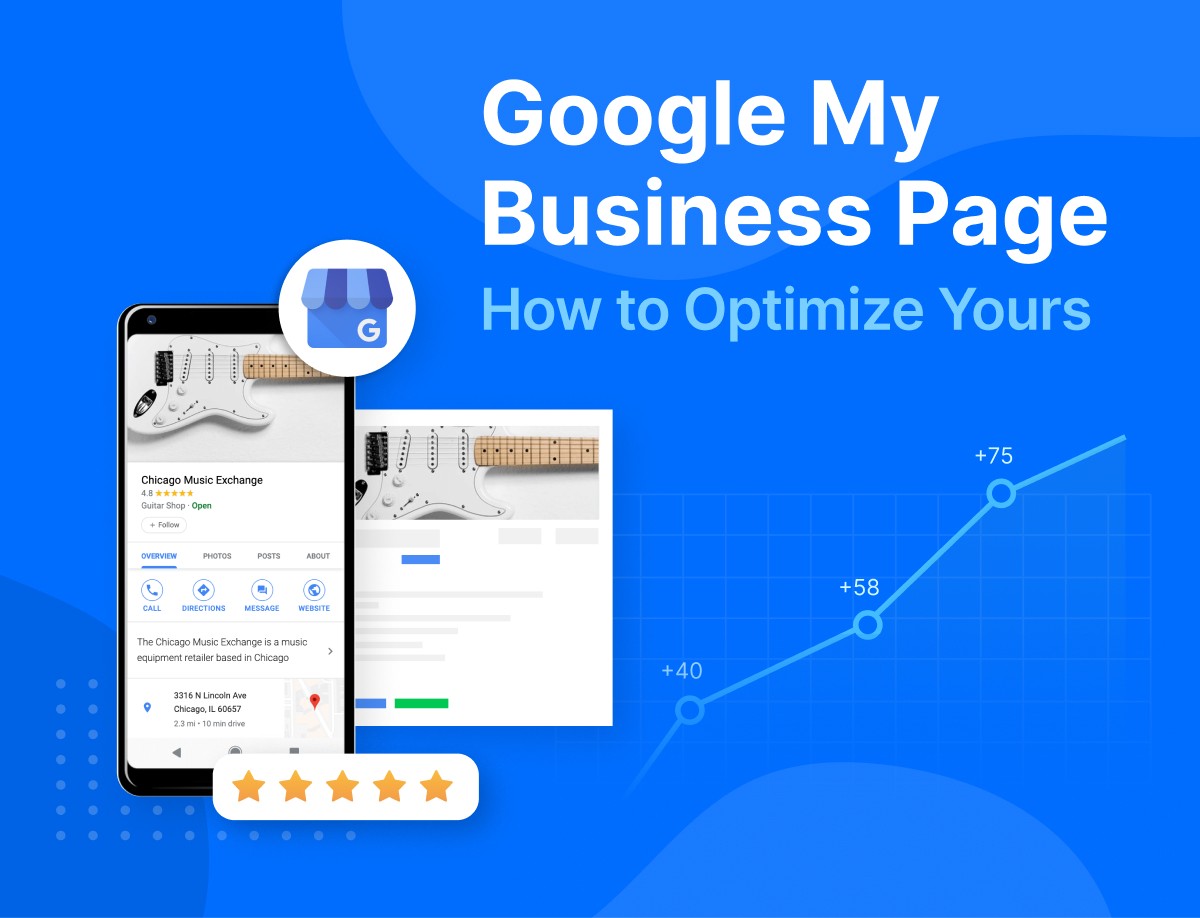
A complete profile provides Google with more signals to understand what you do, where you do it, and why a searcher should choose you. This directly impacts your ranking in the search engine results page (SERP) and builds user trust, making them more likely to leave a review.
Core Business Information (NAP + W)
- Name, Address, Phone Number (NAP): This is the bedrock of local SEO. Your NAP must be 100% identical across your website, your GBP, and all other online directories (like Yelp, Bing Places, etc.). Even a small variation like "Suite 100" vs. "#100" can create inconsistencies that harm your ranking.
- Website (W): Link directly to your website's homepage or, for multi-location businesses, the specific landing page for that location.
The importance of NAP consistency was solidified by Google's "Pigeon" algorithm update, which more closely tied local search results to traditional web search signals. An inconsistent NAP confuses the algorithm and reduces its confidence in your business's location and legitimacy.
Choose the Right Business Categories
- Primary Category: This is the most critical field for telling Google what your business is. Be specific. If you are a family law attorney, your primary category should be "Family Law Attorney," not the broader "Lawyer."
- Secondary Categories: Add all other relevant categories that describe your full range of services. For the attorney example, secondary categories could include "Divorce Lawyer," "Estate Planning Attorney," and "Child Custody Attorney." This helps you appear in searches for those specific, long-tail keywords. A great way to find relevant categories is to look at the profiles of your top-ranking local competitors.
Write a Keyword-Rich, Customer-Focused Business Description
You have 750 characters to craft a compelling description.
- Lead with value: Use the first 250 characters to state what you do, who you serve, and what makes you different. This portion is often visible in the SERP without a user needing to click "More."
- Incorporate keywords naturally: Mention your key services and the main city or neighborhood you serve. Avoid "keyword stuffing." Instead of "We offer plumbing, plumber services, best plumbing in Springfield," write for a human: "As a family-owned business, we provide expert plumbing and drain cleaning services for homeowners throughout the greater Springfield area."
The Impact of Profile Completeness
A fully populated profile is visually more engaging and provides significantly more information to both Google and potential customers.
| Feature | Incomplete Profile (Low Visibility) | Optimized Profile (High Visibility & Trust) |
|---|---|---|
| Categories | Only Primary Category | Primary + 5-10 relevant Secondary Categories |
| Photos | 0-1 (just the street view) | 20+ (Logo, Cover, Team, On-site work, 360° virtual tour) |
| Services/Products | None listed | Full menu of services/products with descriptions and prices |
| Q&A Section | Empty or user-answered | Pre-populated with owner-answered FAQs |
| Posts | Inactive | Active with weekly offers, updates, and events |
| Reviews | Unanswered or sporadic responses | All reviews receive a prompt, professional, and personalized response |
Step 3: How to Optimize Google Business Profile for Local SEO and Maximum Visibility
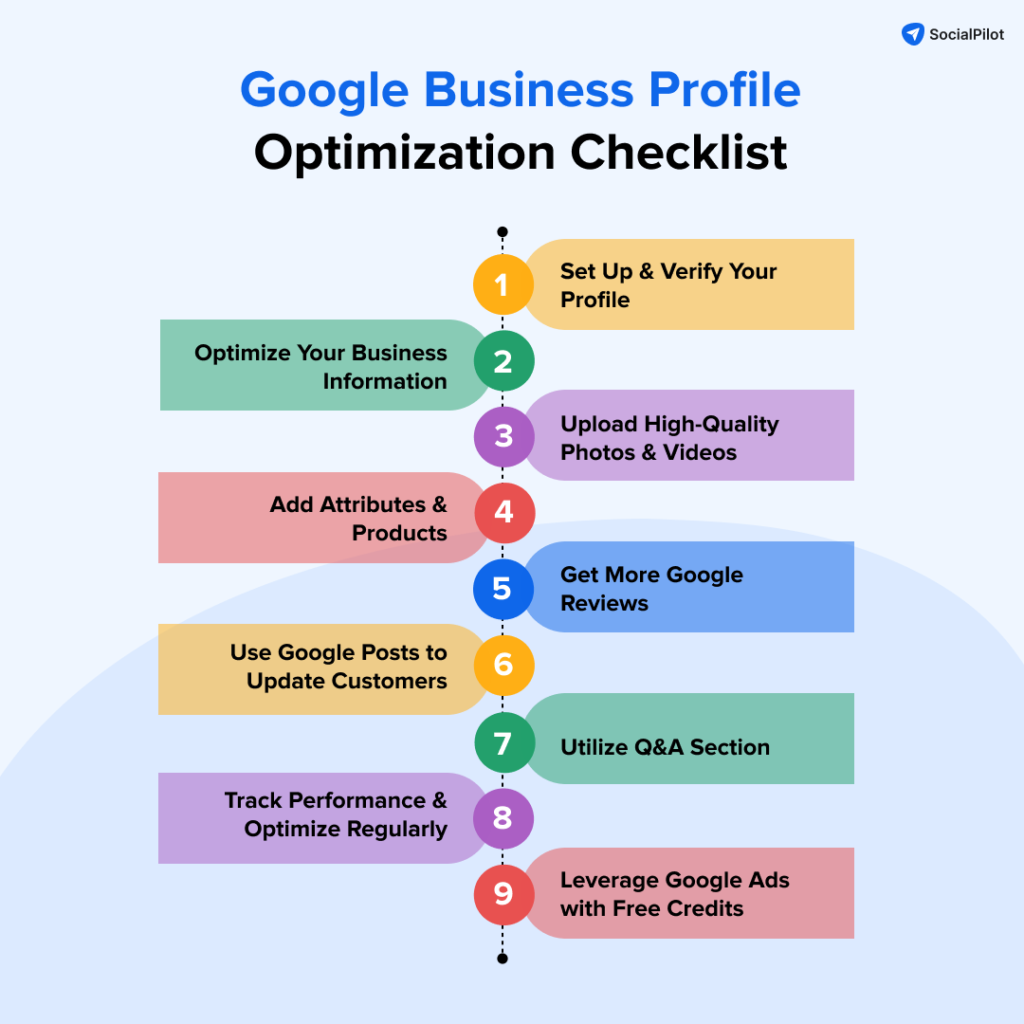
To optimize your Google Business Profile for local SEO, you must strategically use all available features to send strong signals of relevance, distance, and prominence to Google. This includes adding detailed services, uploading geo-tagged media, and actively engaging with customers through features like Posts and Q&A.
Add Detailed Services and Products
Do not stop at categories. Use the Services or Products tab in your GBP dashboard to list every individual offering.
- For each service, add a custom description (up to 1,000 characters) and the price if applicable.
- This is a prime opportunity to use keywords that align with user search intent. For example, instead of just "AC Repair," create a service entry for "24/7 Emergency Air Conditioner Repair" with a description that mentions common issues like "unit not cooling," "strange noises," or "freon leak."
Upload a Constant Stream of High-Quality Photos and Videos
Photos are one of the most powerful trust signals and a known ranking factor. Businesses with more photos receive more clicks, calls, and direction requests.
- Essential Photos: Add your logo and a cover photo that best represents your brand.
- Showcase Your Business: Upload high-quality images of your location (interior and exterior), your team at work, your service vehicles, and completed projects. 360-degree photos and short videos (under 30 seconds) can significantly boost engagement.
- Geo-tag Your Photos: Before uploading, use a free online tool to add GPS coordinates (geo-tags) to your image's EXIF data. This provides Google with an extra, subtle signal about your business's physical location.
Activate Messaging and Other Engagement Features
- Messaging: Turn on the messaging feature to allow customers to chat with you directly from your profile. Google favors businesses that are responsive, so aim to answer messages within 24 hours. Set up an automated welcome message to manage expectations.
- Booking Links: If you use an online scheduling tool (like Calendly or a platform-specific booker), add your appointment link directly to your profile. This reduces friction for customers and gives Google another positive engagement signal.
Use Google Business Profile Posts to Signal Activity
Google Posts are like free mini-advertisements or social media updates that appear directly on your GBP listing in search results.
- Types of Posts: Create posts for Offers, Updates, Events, or Products. An effective offer post might be: "This week only! Get 15% off all drain cleaning services. Mention this post when you call."
- Signal Freshness: Posts expire after 7 days (unless they are for a future event). Posting weekly signals to Google that your business is active and your profile is actively managed. This is a simple but effective way to stay ahead of less-active competitors.
Step 4: A Practical Guide: Optimising Your Google Business Profile for 2024/2025
Optimizing your Google Business Profile in 2024 and 2025 means focusing on new and underutilized features like the Q&A section and leveraging user-generated content, especially reviews, to dominate your local market. It's about proactive online presence management, not just a one-time setup.
Proactively Manage the Questions & Answers (Q&A) Section
This section is unique because anyone can ask a question, and anyone can answer it. If you don't control the narrative, a competitor or misinformed customer might.
- Best Practice: Seed this section yourself. Create a list of your top 5-10 frequently asked questions. For a cafe, this might be "Do you have Wi-Fi?" or "Do you offer oat milk?". For a roofer, it could be "Do you offer free estimates?" or "Are you licensed and insured?".
- Log into a personal Google account, navigate to your GBP listing, and ask these questions one by one.
- Then, log back in as the business owner and provide clear, keyword-rich, authoritative answers. This builds trust and saves you and your customers time.
Make Your Profile a Magnet for Reviews
An optimized, highly visible profile naturally leads to more customers, which creates more opportunities for reviews. Once your profile is complete, your primary ongoing focus should be on building a steady stream of fresh, positive feedback.
- Make it easy to leave a review: You need a direct link that takes customers straight to the review submission box. For a detailed walkthrough, see our guide on
.[Link to: Your Step-by-Step Guide to Finding Your Google Review Link (and Sharing It Effectively)] - Develop a consistent strategy: Don't just hope for reviews; actively and systematically ask for them. Learn proven techniques in
.[Link to: Mastering the Art of Getting More Google Reviews for Your Service Business]
Analyze and Act on GBP Insights
Your GBP dashboard includes a "Performance" section with valuable data. Check this monthly to refine your business profile management strategy. Key metrics include:
- How customers search for you: The search queries (keywords) people used to find your business. This is a goldmine for understanding customer language and can inform your website's SEO strategy.
- Where customers view you: The split between people who found you on Google Search vs. Google Maps.
- Actions customers take: The number of website clicks, phone calls, and direction requests originating from your profile. Track these to measure your profile's direct impact on leads.
- Post Performance: See which of your Google Posts get the most views and clicks, helping you understand what content resonates with your audience.
Step 5: GMB Best Practices for Ongoing Success
Maintaining a high rank requires ongoing effort. Regularly update your profile, engage with all customer reviews, and monitor for any user-suggested edits to ensure your information remains accurate and trustworthy.
Respond to Every Single Review
Responding to all reviews—both positive and negative—is a critical GMB best practice. It shows prospective customers that you are an engaged owner who values feedback.
- Positive Reviews: Thank the customer by name and reinforce a positive aspect of their experience. Learn more in our guide:
.[Link to: How to Respond to Positive Google Reviews and Build Strong Customer Relationships] - Negative Reviews: Respond promptly and professionally. Acknowledge the issue without being defensive and offer to take the conversation offline to resolve it. This demonstrates accountability. Get specific strategies here:
.[Link to: Dealing with Negative Google Reviews: Strategies for Professional Responses and Reputation Management]
A pro tip is to naturally include your service and city in responses where it makes sense, e.g., "We're so glad you enjoyed our residential window cleaning service in Austin!"
Monitor for User-Suggested Edits and New Questions
Google allows users to suggest edits to your business information. While often helpful, this can sometimes lead to incorrect data being published on your profile (e.g., wrong hours, incorrect phone number).
- Enable email notifications in your GBP settings so you are alerted immediately to any user-suggested changes or new questions.
- Review these suggestions promptly and either approve them or reject them to maintain control over your business's official information.
Frequently Asked Questions (FAQ)
What is the difference between Google My Business (GMB) and Google Business Profile (GBP)?
The name "Google My Business" (GMB) was officially changed to "Google Business Profile" (GBP) in late 2021. They are the same free tool; GBP is simply the new branding. Optimizing your Google My Business profile follows the exact same principles as optimizing your GBP.
How often should I update my Google Business Profile?
You should check your profile at least weekly for new reviews, questions, or user-suggested edits. It is a best practice to add a new Google Post once a week and upload new photos at least once a month to signal to Google that your listing is active and well-maintained.
What are some quick GBP optimization tips people share on Reddit?
Common tips discussed on forums like Reddit for optimizing a Google Business Profile often include "low-hanging fruit" like seeding your own Q&A section, using Google Posts for limited-time offers to create urgency, geo-tagging all photos before uploading, ensuring your primary category is as specific as possible, and filling out all available attributes (e.g., "Woman-led," "Wheelchair accessible," "Online appointments"). These user-generated tips align perfectly with expert best practices.
Can I have a Google Business Profile if I don't have a physical storefront?
Yes. If you are a service-area business (SAB) that travels to customers (like a plumber, electrician, or mobile dog groomer), you can list your business. During setup, you will specify your service areas by listing cities, postal codes, or a radius around a central point. Your physical address will then be hidden from the public on Google Maps to protect your privacy.
Why are reviews so important for Local SEO?
Reviews are a critical component of Local SEO because they are a direct ranking factor that signals trust and prominence to Google. The quantity, velocity (how frequently you get them), and quality (the content and star rating) of your reviews significantly impact your visibility in the Local Pack. To learn more, read our deep-dive:
[Link to: The Role of Google Reviews in Local SEO and Your Business's Online Visibility]Following these steps transforms your Google Business Profile from a simple listing into a dynamic, lead-generating machine. An optimized profile earns higher visibility, which brings in more customers, which in turn generates more reviews.
But once you've earned that valuable social proof, the final step is to put it to work. Displaying those powerful testimonials directly on your website is essential for building trust with visitors and converting them into paying customers.
That’s where a dedicated tool becomes the logical next step. With Embed Review, you can add a sleek, professional Google Reviews widget to your website in about 60 seconds, with absolutely no coding required. The widget automatically updates with your latest reviews, ensuring your site always features fresh, compelling social proof. By showcasing the positive feedback you’ve worked so hard to earn, you complete the trust-building cycle that began on Google and turn your website visitors into your next happy customers.
Next Step: Explore embed-review.com
If this guide was useful, visit embed-review.com to learn how their product can help:
- What embed-review.com offers: Embed Review provides an embeddable widget for businesses to showcase their Google Reviews on their website. The service offers a simple, 60-second setup with no coding required, automatically updating reviews to help businesses build trust and increase conversions.
- Website: https://www.embed-review.com
